
|
I was pleasantly surprised to see that there is a new update for Photoshop CC2018 that arrived yesterday. One of the most exciting features in this new version is the Select Subject function. Initial experimentations show that it is usable but not perfect. First-off was a photo of the Eros Statue, a relative easy task to cut off the sky and clouds in the background. 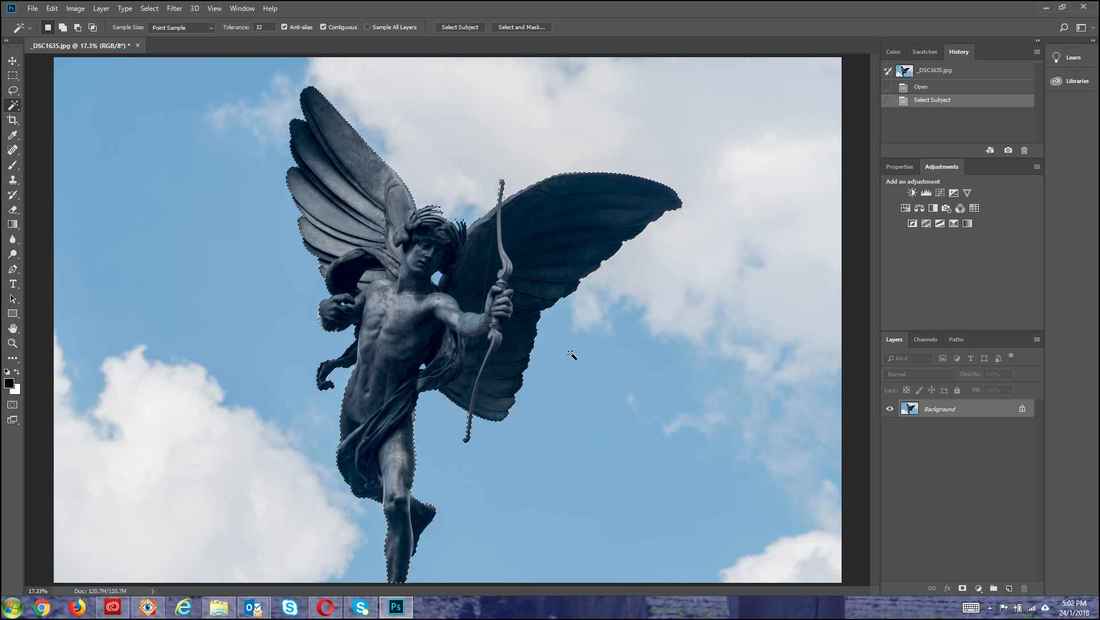 There are several ways of invoking this new function. The simplest is to just click on the Select and then scroll down to the Subject function. 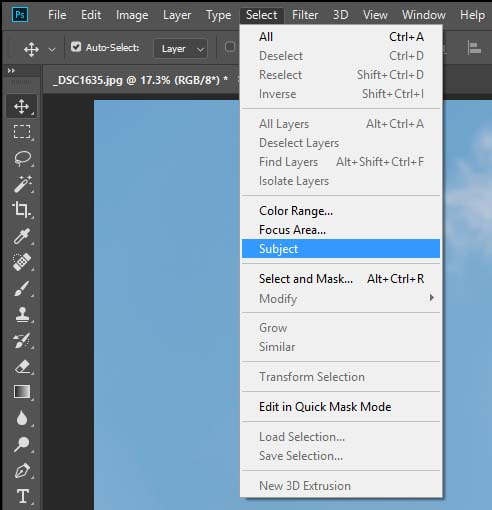 Another way which I found more useful is to from the Magic Wand, and clicking on the new Select Subject button from the top menu.  The results are not perfect. As can be seen on closer scrutiny, the top crown of feathers of the statue was not properly selected. So was the sky between the strings and the bow and the gap between the head and the wings. Nevertheless it was impressive indeed and those small imperfections are easy to correct with quick click of the Magic Wand function. 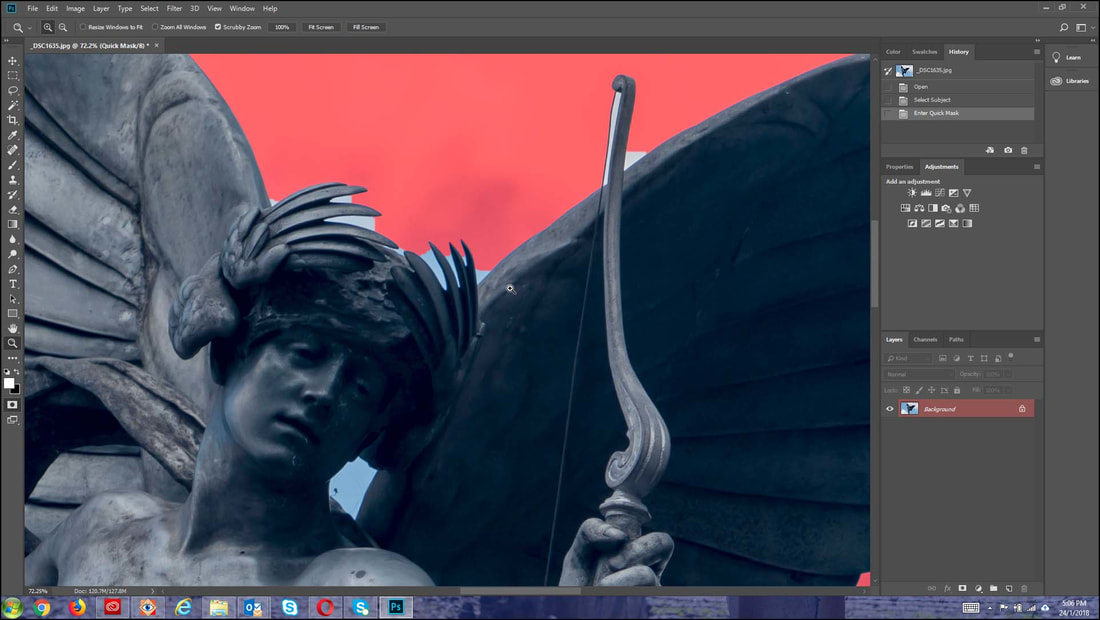
0 Comments
Leave a Reply. |
AuthorAn avid photographer since when he was a kid, M.K. Wong delves in both photo-taking as well as post-processing techniques. Archives
March 2021
Categories |
 RSS Feed